
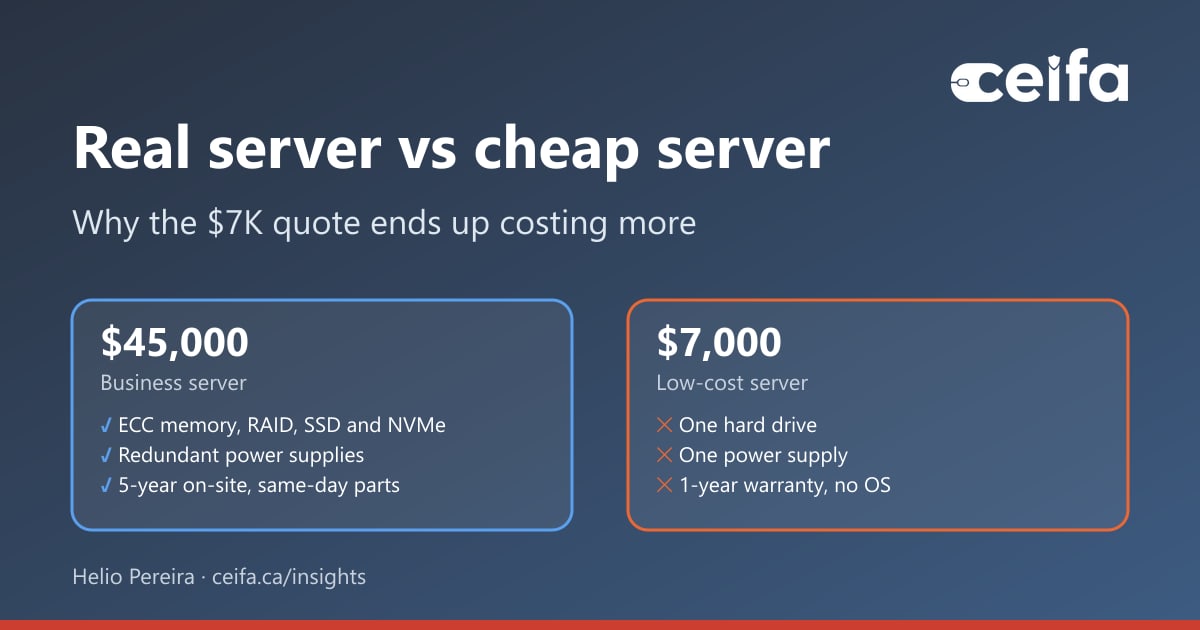
A few weeks ago we quoted a server for a prospect. They needed SQL Server to run a data warehouse: the system their reports, dashboards and month-end numbers would all depend on. We specified 64 GB of ECC memory, SSD and NVMe drives in a proper RAID configuration, separate drives for the SQL databases and the SQL logs, redundant power supplies, a TPM, a five-year warranty and a technician on site the same day if a part fails. The quote came to CAD $45,000.
The prospect did what a lot of people do now. They asked an AI tool whether the price was fair. The answer: the server was overpriced, and here is one for $7,000. I looked at the suggestion. One hard drive. One power supply. No operating system. A one-year warranty. Drop-shipped in a box.
I will be honest, it was frustrating to have to explain why a cheap server is a liability. But it is a fair question, and if one prospect asked it, many more are wondering. So instead of an opinion, here is the evidence: real failure data, Microsoft's own requirements for SQL Server storage, the licensing math nobody puts in a hardware comparison, and what downtime actually costs.
1.36%
of data-centre hard drives failed in 2025, across about 344,000 drives[1]
8%+
of memory modules saw correctable errors each year in Google’s fleet study[3]
$3,945
USD list price for every two cores of SQL Server 2025 Standard[5]
$167
lost per minute of server downtime at $10,000 an hour[8]
A real server vs a cheap server, side by side
Both machines had a capable processor and a reasonable amount of memory, which is why a quick comparison made them look alike. Everything else is different. The last column is why each line matters to the business, not just to IT.
| Component | Business server | Low-cost server | Why it matters |
|---|---|---|---|
| Memory | 64 GB ECC (error-correcting) | Non-ECC or unspecified | ECC corrects memory errors before they crash the server or reach the database. |
| Drives | Enterprise SSD and NVMe rated for constant work | One hard drive | One drive is one failure away from losing the server, and possibly the data. |
| Layout | RAID, with separate volumes for databases and logs | Everything on one disk | Microsoft recommends separating data and log files so their I/O does not compete. |
| RAID controller | Hardware controller with battery or flash-backed write cache | None | SQL Server needs guaranteed delivery to stable media. Unprotected caches can corrupt databases. |
| Power | Redundant, hot-swappable power supplies | One power supply | A failed power supply, or one tripped circuit, stops everything. |
| Remote management | Out-of-band management with hardware alerts | Not listed | Failing parts raise an alert before they fail, and the server can be managed even when Windows is down. |
| Security hardware | TPM for encryption and secure boot | Not listed | A server holding financial history should be encrypted and protected from tampering. |
| Warranty | 5 years, same-day technician on site with parts | 1 year, return to depot | Servers stay in service five years or more. Depot repair means days without the server. |
| Operating system | Licensed and included | None | Windows Server licensing is a real cost. Leaving it out makes the quote look cheaper, not the server. |
| Setup | Configured, tested and installed | Drop-shipped in a box | Someone still has to build, harden, test and document it, and that labour is not free. |
Business server (CAD $45,000 quote) vs low-cost server ($7,000 suggestion)
- Business server
- 64 GB ECC (error-correcting)
- Low-cost server
- Non-ECC or unspecified
- Why it matters
- ECC corrects memory errors before they crash the server or reach the database.
- Business server
- Enterprise SSD and NVMe rated for constant work
- Low-cost server
- One hard drive
- Why it matters
- One drive is one failure away from losing the server, and possibly the data.
- Business server
- RAID, with separate volumes for databases and logs
- Low-cost server
- Everything on one disk
- Why it matters
- Microsoft recommends separating data and log files so their I/O does not compete.
- Business server
- Hardware controller with battery or flash-backed write cache
- Low-cost server
- None
- Why it matters
- SQL Server needs guaranteed delivery to stable media. Unprotected caches can corrupt databases.
- Business server
- Redundant, hot-swappable power supplies
- Low-cost server
- One power supply
- Why it matters
- A failed power supply, or one tripped circuit, stops everything.
- Business server
- Out-of-band management with hardware alerts
- Low-cost server
- Not listed
- Why it matters
- Failing parts raise an alert before they fail, and the server can be managed even when Windows is down.
- Business server
- TPM for encryption and secure boot
- Low-cost server
- Not listed
- Why it matters
- A server holding financial history should be encrypted and protected from tampering.
- Business server
- 5 years, same-day technician on site with parts
- Low-cost server
- 1 year, return to depot
- Why it matters
- Servers stay in service five years or more. Depot repair means days without the server.
- Business server
- Licensed and included
- Low-cost server
- None
- Why it matters
- Windows Server licensing is a real cost. Leaving it out makes the quote look cheaper, not the server.
- Business server
- Configured, tested and installed
- Low-cost server
- Drop-shipped in a box
- Why it matters
- Someone still has to build, harden, test and document it, and that labour is not free.
The thread running through every row is the idea of a single point of failure: one part whose failure stops the whole system. The cheap server is built almost entirely out of them. The rest of this article takes them one at a time.
Drives fail, and the data proves it
Backblaze, a cloud storage company, publishes failure statistics for every hard drive it runs. In 2025 its fleet of about 344,000 data-centre drives had an annualized failure rate of 1.36 percent, and the lifetime rate across its fleet has held at about 1.30 percent.[1] That sounds small until you do the arithmetic for one server over five years. At a flat 1.36 percent a year, a single drive has roughly a 1 in 15 chance of failing within five years, and that is for drives in a cooled, professionally run data centre, not a warm back room.
Failure rates are also not flat. Backblaze's long-running analysis of drive age shows failures climbing again as drives get older: in its 2013 data, drives failed at 1.4 percent a year in their middle years but 11.8 percent a year in years three and four. Newer drives are much better, but the shape still bends upward late in life.[2] Its 2025 report even flagged a model that had reached about seven and a half years old with a quarterly failure rate above 10 percent.[1] The second half of a server's life is exactly when the one-year warranty has run out.
With one drive, the day it fails is the day the server stops and whatever was not backed up is gone. With RAID, a failed drive is a warning light. The server keeps running, the replacement goes in, and the array rebuilds while people keep working. RAID is not a backup, and you still need tested backups, but it turns a disaster into a routine repair.
Not all drives are built for this
Microsoft's own SQL Server storage guidance draws the line clearly. SAS, SCSI and NVMe devices are "typically designed for heavy-duty use", have better failure rates and contain heuristics to predict imminent failures. Desktop-class SATA and ATA drives are "typically designed for light to medium-duty use" and can stall all I/O while they deal with a bad block.[4] A data warehouse reads and writes all day and all night. It needs drives designed for that, not drives designed for a desktop that sleeps overnight.
The part that protects your data when power fails
This is the most important difference, and the one a spec sheet comparison never shows. Drives and controllers hold recent writes in a cache before committing them to permanent storage. If that cache is lost in a crash or power cut, the database can lose writes it was told were safe.
Microsoft is unusually blunt about this. SQL Server "requires that systems support guaranteed delivery to stable media", and "unsafe caching that doesn't ensure preservation of data across failures can corrupt databases".[4] Its guidelines for safe write-back caching controllers are specific:
- The cache must be battery-backed or use non-volatile memory, such as super-capacitor-backed flash.
- The controller must be certified by the vendor for data-critical database use.
- The protection must cover all failure conditions, not just power loss.
And the detail most people miss: a UPS is not enough. Microsoft states that an external UPS is "generally not sufficient, because failure modes that are unrelated to power can occur", such as firmware bugs, hardware faults or an unexpected reset.[4] A single hard drive plugged into a motherboard has no protected cache at all. A proper RAID controller with a battery or flash-backed cache is not an upgrade for a SQL Server. It is the requirement.
Memory errors are not rare
It is tempting to think memory errors are a theoretical problem. Google measured them across its entire server fleet, together with researchers at the University of Toronto. They found that more than 8 percent of memory modules saw correctable errors each year, that error rates were far higher than previously believed, and that correctable errors increased as modules aged, spiking after 10 to 18 months in the field.[3]
ECC (error-correcting code) memory finds and fixes those errors as they happen. Ordinary memory does not even know they happened. On a desktop, an uncorrected error might crash an application. On a database server, it can crash the service, or worse, flip a value that is then written into your data and backed up faithfully every night. For a system that produces financial reports, silent corruption is the worst possible failure, because nobody knows to fix it.
One power supply, one outage
Power supplies run hot and run constantly, which makes them one of the parts most likely to wear out in any computer. A business server carries two hot-swappable power supplies. Connect them to separate circuits or UPS units and the server keeps running when one supply fails, when a breaker trips or when someone needs to service one power feed. A single power supply turns every one of those events into an outage.
How a SQL Server data warehouse should be built
A data warehouse is not a file server. It loads large volumes of data overnight, builds and rebuilds indexes, and answers heavy reporting queries while people wait. Microsoft's guidance is consistent: place data and log files on separate drives, because "placing both data AND log files on the same device can cause contention for that device, resulting in poor performance".[7] Its storage best practices for SQL Server on Azure add separate storage for tempdb, a 64 KB allocation unit size for data volumes, and the advice to keep standard, lower-cost disks for development and test only, not production.[9]
Applied to a physical server, a sensible layout looks like this:
| Volume | Protection | Media | Why |
|---|---|---|---|
| Operating system | RAID 1 (mirror) | SSD | The server keeps booting if one drive fails. |
| Database data files | RAID 10 | NVMe or enterprise SSD | Random reads and writes for queries, indexes and loads, with redundancy and speed. |
| Transaction logs | RAID 1 (mirror) | Enterprise SSD | Sequential writes on every commit, kept off the data disks. |
| tempdb | RAID 1 or RAID 10 | NVMe | Sorting, hashing and staging during big warehouse queries. |
| Backups | Separate target, plus off-site copy | Disk or backup appliance | A backup on the same disks as the database is not a backup. |
Example storage layout for a SQL Server data warehouse
- Protection
- RAID 1 (mirror)
- Media
- SSD
- Why
- The server keeps booting if one drive fails.
- Protection
- RAID 10
- Media
- NVMe or enterprise SSD
- Why
- Random reads and writes for queries, indexes and loads, with redundancy and speed.
- Protection
- RAID 1 (mirror)
- Media
- Enterprise SSD
- Why
- Sequential writes on every commit, kept off the data disks.
- Protection
- RAID 1 or RAID 10
- Media
- NVMe
- Why
- Sorting, hashing and staging during big warehouse queries.
- Protection
- Separate target, plus off-site copy
- Media
- Disk or backup appliance
- Why
- A backup on the same disks as the database is not a backup.
The exact design depends on data volume and growth, but the principles do not change. No single drive failure should stop the server. Data and logs should not fight over the same disks. Storage should be fast enough that the overnight load finishes overnight. And before anything goes into production, Microsoft recommends validating the storage with its SQLIOSim tool, so durability is proven rather than assumed.[4] One hard drive cannot do any of this.
The licensing math nobody mentions
Here is the part that surprises almost every client. For a SQL Server, the software often costs more than the hardware. Microsoft lists SQL Server 2025 Standard at USD $3,945 per 2-core pack, and under core-based licensing you license the physical cores in the server.[5] The chart shows what that means at common core counts.
Three practical consequences follow:
- Processor choice is a licensing decision. A cheap server with a high-core-count processor can cost far more to license than a well-chosen server with fewer, faster cores. A good quote sizes cores to the workload, not to the lowest hardware price.
- Know the edition limits. SQL Server 2025 Standard uses at most the lesser of 4 sockets or 32 cores, 256 GB of buffer pool memory and 32 GB of columnstore cache per instance. Some data warehouse optimizations, such as star join query optimizations, are Enterprise only.[6] A server sized beyond what the edition can use is wasted money, and a server sized below what the warehouse needs is a slow one.
- The operating system is not free either. Windows Server 2025 Standard is listed at USD $1,176 for 16 cores, with client access licences required for every user or device on top.[10] The $7,000 suggestion included none of it.
The licensing is the same whichever box it runs on. That is the real point: the hardware is a fraction of the true cost of a SQL Server project. Cutting corners on the cheapest line, the one that keeps the expensive licences and the data itself safe, is the worst place to save money.
Warranty, repair time and the cost of waiting
A business server normally stays in service for five years or more, and as the drive data shows, failures cluster in the second half of that life. Who pays, and how fast the repair happens, matters as much as the hardware.
Repair speed is where the money is. ITIC, which has surveyed the cost of downtime for years, found in its 2024 study that 97 percent of large enterprises put the cost of a single hour of downtime above USD $100,000.[8] Smaller organizations are not spared: ITIC reports that downtime costs are similarly high for businesses with 11 to 200 employees, and that hourly costs of $25,000 to $75,000 can be serious enough to put a small business out of business. Even a business losing $10,000 an hour loses about $167 for every minute a server is down.[8]
Even at $1,000 an hour, far below what ITIC reports, a five-day depot repair costs about $40,000: roughly the entire price difference between the two servers, lost in a single week. And that assumes the failure happens in year one. In years two to five, the cheap server has no warranty at all: the wait includes finding and buying the part yourself.
What drop-shipped leaves out
A server that arrives in a box is a starting point, not a working system. Before it can safely hold a data warehouse, someone has to:
- Update firmware and BIOS, and configure the RAID controller and its protected cache.
- Confirm drive write caching is handled safely, as Microsoft's guidance requires.[4]
- Install and harden Windows Server, then enable BitLocker using the TPM.
- Install SQL Server to best practice: separate volumes, tempdb, memory limits and service accounts.
- Validate the storage with SQLIOSim or a similar tool before production data goes on it.
- Configure backups to a separate target with an off-site copy, then test a restore.
- Set up monitoring and hardware alerts so a failing drive or power supply raises a ticket.
- Secure the out-of-band management interface, and document the whole build.
None of that is in a $7,000 drop-ship price. All of it is part of what we quote, because a server that is not built this way is a risk the client carries without knowing it.
Why the AI said the quote was overpriced
I do not blame the prospect for asking, and I do not think the AI was lying. It answered a narrower question than the one that mattered. Is there a cheaper server with a similar processor and memory? Yes. Will that server run a business-critical SQL Server data warehouse reliably and safely for five years? That is a different question, and the tool never asked it.
If you use AI to check a server quote, give it the context it needs. Something like:
Compare these two server quotes for running SQL Server as a production data warehouse for five years. For each, tell me how many drive failures it can survive, whether the RAID controller has a battery or flash-backed write cache, whether the memory is ECC, whether power supplies are redundant, the warranty length and on-site response time, whether Windows Server and SQL Server licences are included, and who builds and tests it.
Ask that, and the price difference usually explains itself.
When a cheaper server is perfectly fine
Not every server needs to be built like this one, and I would be suspicious of anyone who says otherwise. A low-cost machine is a sensible choice for a test or training lab, a non-critical utility role, or anything the business could live without for a few days. Microsoft's own guidance reserves standard, lower-cost storage for development and test SQL Server workloads.[9] The rule is simple: size the server to what it costs you when it is down, not to the lowest price you can find.
There are also honest alternatives to a new server:
- Cloud. Azure SQL or SQL Server on an Azure virtual machine removes the hardware question entirely, in exchange for a monthly cost that grows with usage. For steady, heavy workloads like a data warehouse, owning the hardware is often better value over five years, but it should be priced both ways.
- Pay-as-you-go licensing. Microsoft offers SQL Server Standard on a monthly per-core basis through Azure, listed at USD $73 per core per month, which suits projects that are still proving themselves.[5]
- Fewer, faster cores. Right-sizing the processor can save more on licensing than any amount of cutting on the hardware.
What I would never recommend is putting the system your reports, finances or operations depend on onto a machine with one drive, one power supply and a one-year warranty, then hoping nothing breaks.
The five-year view
Over five years, a $45,000 server works out to about $750 a month. The $7,000 server works out to about $117 a month, but only if it needs no operating system licence, no extra drives, no second power supply, no extended warranty, no setup labour and no repairs for five years. Every piece of evidence above says it will need some or all of them. The cheap server is not the cheaper option. It is the option where the costs arrive later, all at once, on the worst possible day.
How Ceifa helps
When we quote a server, we start with what it has to survive and how it will be licensed, then size the hardware to the workload, and we are happy to walk through every line. Through our hardware procurement service we design, source and build servers that are configured and tested before they arrive. As part of managed infrastructure we monitor, patch and maintain them for their whole life, with tested backups behind them, and our SQL database support keeps the databases healthy. If you have a server quote you are unsure about, send it to us and we will tell you honestly what it does and does not cover. You may also find why untested backups are a guess useful.
Sources
- Backblaze, Drive Stats for 2025
- Backblaze, Drive Failure Over Time: The Bathtub Curve Is Leaking
- Schroeder, Pinheiro and Weber, DRAM Errors in the Wild: A Large-Scale Field Study (SIGMETRICS 2009), as reported by The Register
- Microsoft Learn, SQL Server I/O Fundamentals
- Microsoft, SQL Server 2025 pricing (PDF)
- Microsoft Learn, Editions and supported features of SQL Server 2025
- Microsoft Learn, Place data and log files on separate drives
- ITIC, 2024 Hourly Cost of Downtime, Part 2
- Microsoft Learn, Storage best practices for SQL Server on Azure VMs
- Microsoft, Windows Server 2025 pricing
Frequently asked questions
Why are business servers so much more expensive than a powerful PC?
Most of the cost is not speed, it is staying up and keeping data correct. A business server pays for redundant drives and power supplies, ECC memory, a RAID controller with a protected write cache, enterprise drives rated for constant work, remote hardware management, a TPM, a licensed operating system and years of on-site parts support. A PC with a similar processor has none of that.
Is ECC memory really necessary for a server?
For anything that stores important data, yes. A large Google field study found that more than 8 percent of memory modules saw correctable errors each year, and that error rates rose as modules aged. ECC memory detects and corrects those errors. Without it, an error can crash the server or be written silently into the database.
What RAID level should a SQL Server use?
A common layout is a mirrored pair (RAID 1) for the operating system, RAID 10 on SSD or NVMe for the data files, a separate mirrored volume for the transaction logs and fast storage for tempdb. Microsoft recommends placing data and log files on separate drives so their I/O does not compete. The controller should have a battery or flash-backed write cache.
Is a UPS enough to protect a SQL Server from data loss?
No. Microsoft states that an external UPS alone is not sufficient, because failures unrelated to power, such as firmware bugs, hardware faults or a reset, can still discard cached writes. SQL Server requires guaranteed delivery to stable media, which means a write cache backed by a battery, super-capacitor or non-volatile memory.
How much does SQL Server licensing cost compared to the hardware?
Often more than the hardware. Microsoft lists SQL Server 2025 Standard at USD $3,945 per 2-core pack, and every physical core must be licensed. An 8-core server needs about USD $15,780 in SQL Server Standard licences, and a 32-core server about USD $63,120. That is why processor choice matters so much on a database server.
How much does server downtime cost a small business?
It varies widely with size and industry, but it is rarely small. ITIC reports that downtime costs are similarly high for businesses with 11 to 200 employees, that hourly costs of $25,000 to $75,000 can be enough to put a small business out of business, and that a business losing $10,000 an hour loses about $167 for every minute a server is down.
Can a cheap server be good enough for a small business?
Sometimes, for the right job. A low-cost server is fine for a test lab, a training environment or a role the business could live without for days. Microsoft itself recommends standard, lower-cost storage only for development and test SQL Server workloads. It is the wrong choice for anything the business depends on daily, such as a data warehouse, accounting system or file server.
Why did an AI tool say our server quote was overpriced?
AI tools usually compare a quote with the cheapest hardware that has a similar processor and memory size. They rarely ask what the server must survive or how it will be licensed and supported. Ask the tool to compare redundancy, write-cache protection, drive class, warranty response, licensing and setup as well, and the answer usually changes.